Doppler Effect & Shock Waves
About this simulation
A source sends out a wave at a steady rate. Each wave spreads outward at the same speed no matter how fast the source is moving — the waves do not inherit the source’s speed. Move the source and the waves bunch up in front and spread out behind: that is the Doppler effect.
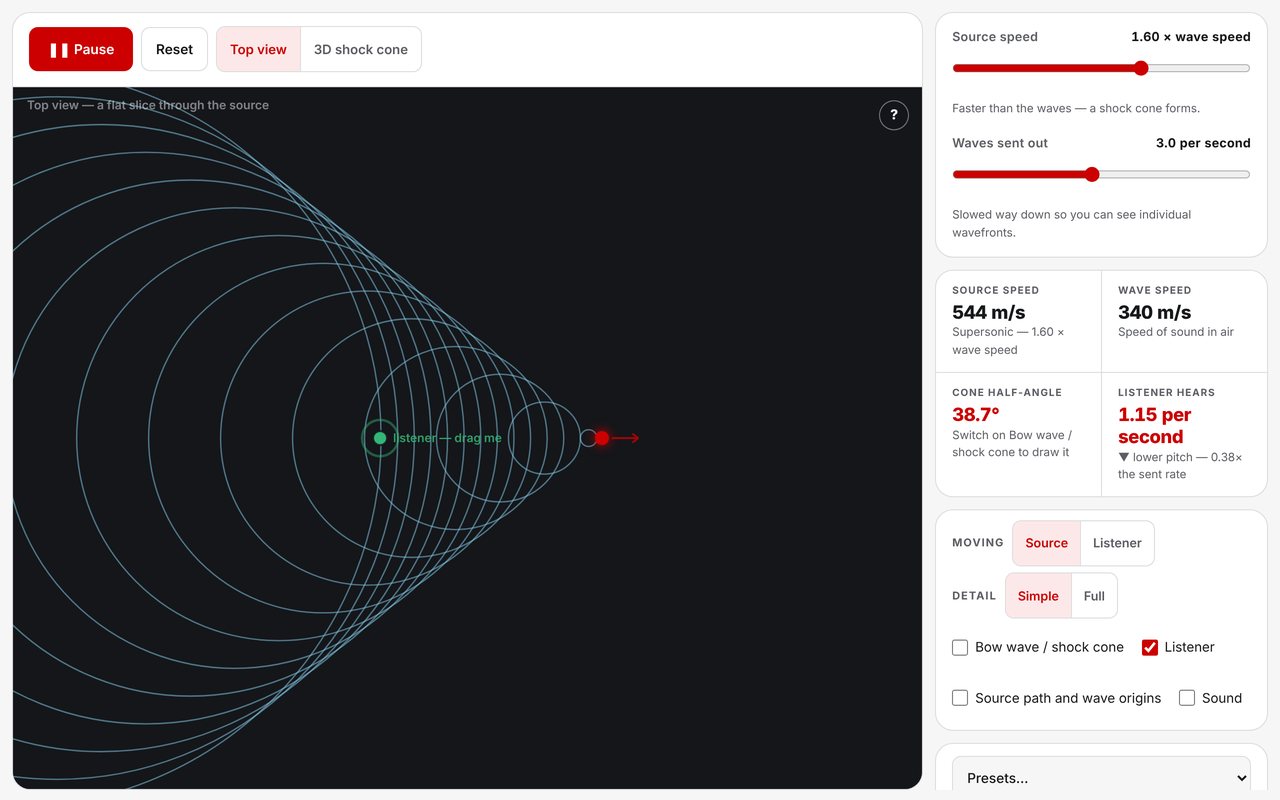
Push the source past the wave speed and the wavefronts stack into a V — a bow wave on water, a shock cone in air. None of it is drawn as a special case. Doppler bunching, the bow wave, the Mach cone and the boom carpet all come out of one rule: every wavefront is a circle growing at the wave speed from where it was born.
A top view shows a flat slice through the source, with a listener you can drag anywhere. A 3D view shows the same waves as spheres around a plane flying above the ground, with the boom carpet traced out beneath it. Optional sound lets the class hear the pitch shift as the source passes.
Learning Goals
- Explain why a moving source produces a higher pitch ahead of it and a lower pitch behind
- Recognise that the wave speed does not depend on the speed of the source
- Show that a moving listener hears a shift too — it takes motion, not a particular mover
- Describe what happens as the source reaches and passes the wave speed
- Predict that the shock cone narrows as the source goes faster
- Explain why you never hear a supersonic jet coming
How to Use
- Press Start and watch the rings bunch up in front of the moving source
- Drag the green listener anywhere; it flashes as each wavefront arrives and the panel counts the rate
- Set the speed to 0, then drag the listener toward the source — the pitch still rises
- Switch Moving to Listener to drive the listener past a parked source
- Creep the speed up to 1.00, then past it, and watch the V form
- Park the listener ahead of a supersonic source: nothing arrives until the cone sweeps over it
- Use the Presets menu for an ambulance, the sound barrier, a supersonic jet, a boat wake, or a listener driving past a siren
- Switch to the 3D shock cone and drag to spin the camera
Classroom Notes
The simulation opens in Simple, which is the version to teach from: nothing on screen but the expanding rings and the source that made them. The V is there all the same, as the shape the rings make, and a class that finds it that way owns it. Full adds cone lines, the source path, wave-origin dots and distance falloff of the sound for later discussion.
The listener starts directly on the source’s path, so the pitch is flat on the way in, flat on the way out, and changes in a single step as the source passes. Dragging the listener off the line restores the general case, where the pitch slides continuously — a good second step once the clean one has landed.