Beats
About this simulation
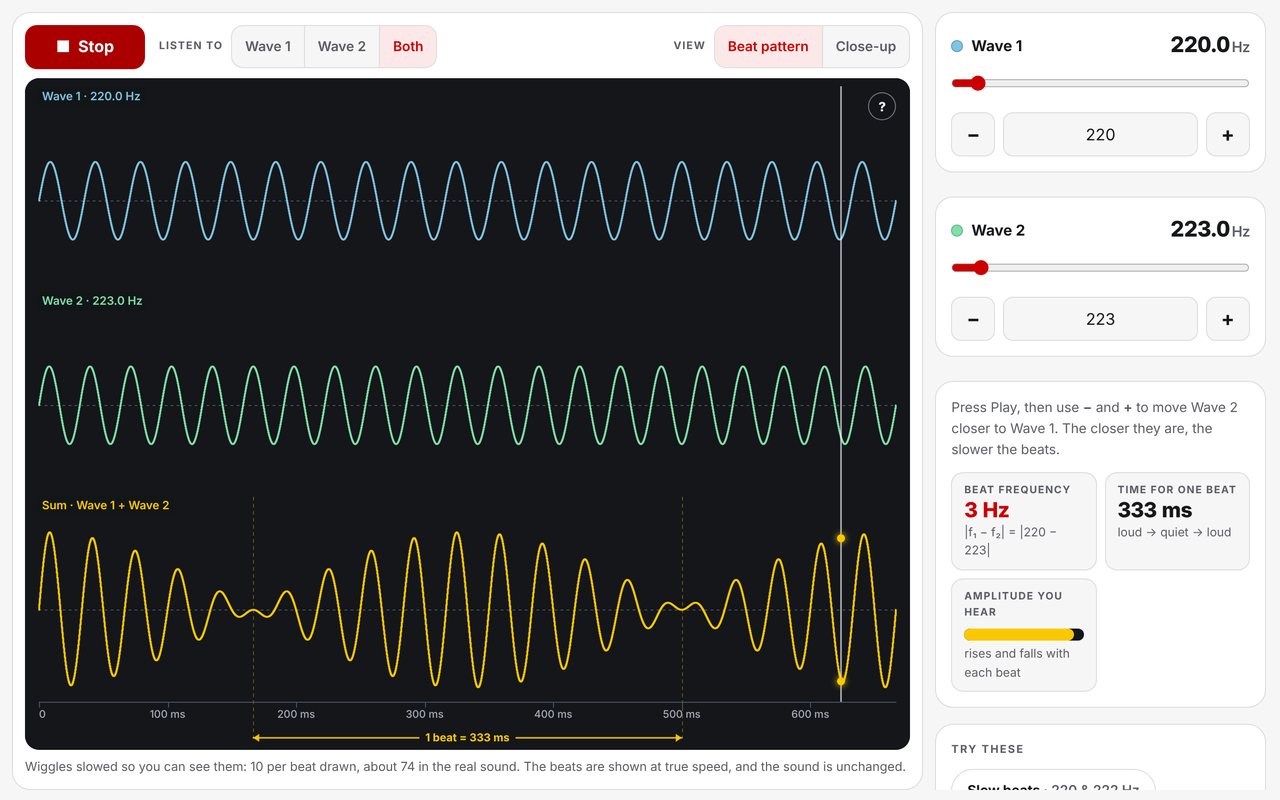
Two notes that are almost the same pitch add up to one tone that swells and fades. Three graphs share one time axis: Wave 1, Wave 2, and the two added together — what actually reaches your ear when both play.
When crests line up with crests the waves add and the sound is loud. A moment later one wave has pulled half a cycle ahead, crests meet troughs, and the waves cancel. Then they line up again. That happens |f1 − f2| times every second, and the simulation plays it through the speakers while you watch.
Real notes wiggle hundreds of times a second, far too fast to see, so in the Beat pattern view the wiggles are drawn slowed down. The beats themselves are not: the time axis, the beat length and the sweep line that follows the sound are all true to the audio.
Learning Goals
- Describe beats as a regular rise and fall in loudness when two close pitches play together
- Explain beats as the two waves moving in and out of step — adding, then cancelling, then adding again
- Predict the beat frequency as the difference between the two frequencies
- Recognise that equal frequencies give no beats, and that widely separated ones are heard as two notes
- Connect beats to tuning an instrument by ear
How to Use
- Press Play, then listen to Wave 1, Wave 2, and Both in turn — each note alone is steady; together they pulse
- Use − and + to move Wave 2 toward Wave 1 and listen to the beats slow down
- Make the two frequencies equal and the beats stop
- Spread them far apart: past about 15 beats per second the pulsing blurs into a rough sound, then into two notes
- Switch to Close-up to hold Wave 1 still and watch Wave 2 slide in and out of step
- Lower Wave 2’s amplitude to show that unequal waves never cancel completely
- Laptop speakers work; headphones are better. On a phone, check the volume and the silent switch
Classroom Notes
The Try these presets cover the standard sequence — slow beats, fast beats, same pitch, far apart. Simple detail is the default; Full adds the envelope equation and its dashed outline for classes ready for it. The beat frequency readout shows the subtraction it comes from, so students can check it by hand.